
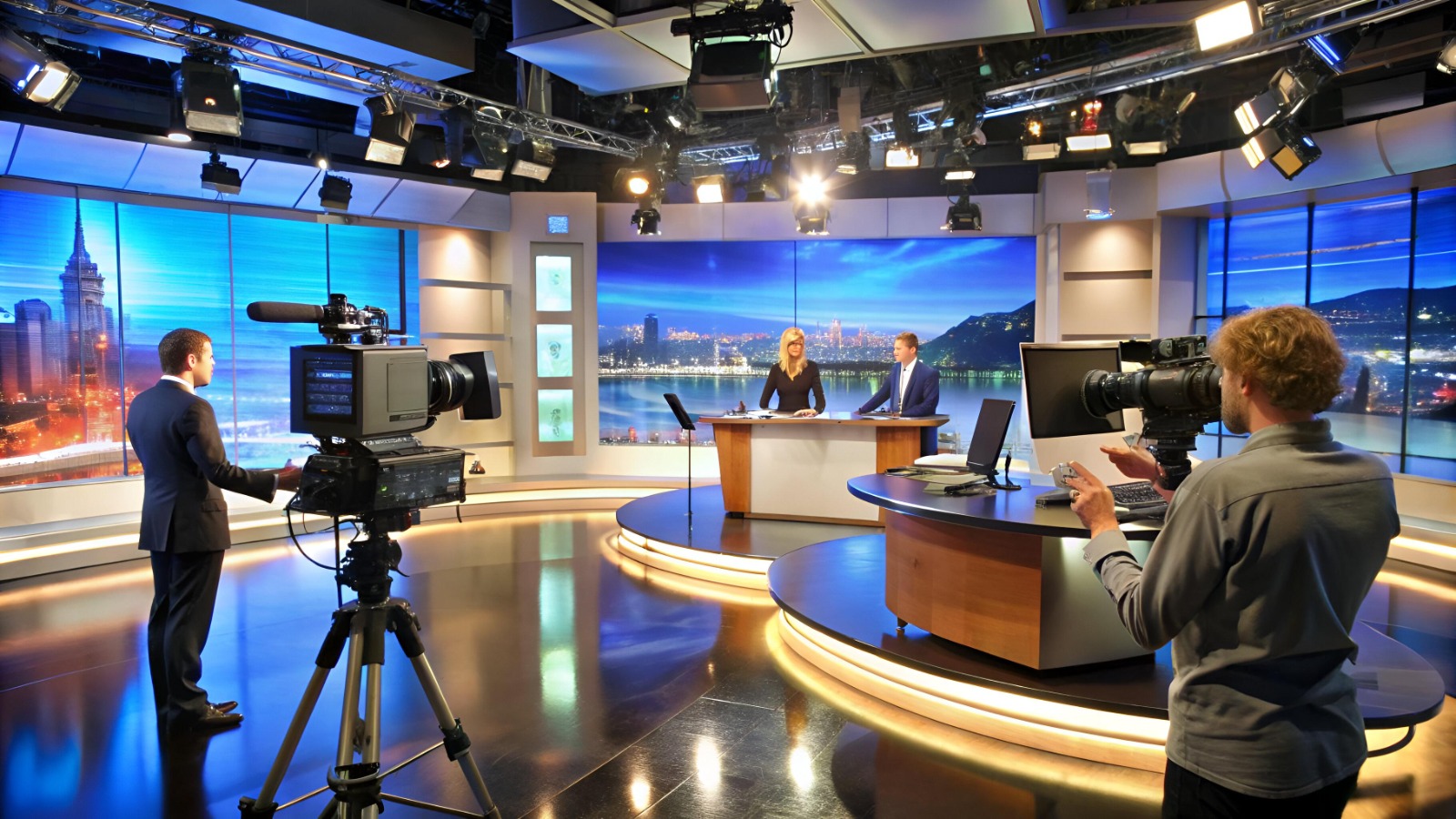
Press Conference Setup in Dubai: Stage, AV and Media Checklist
Published: 9 October 2026 | Permit and licensing references checked: October 2026
Quick answer: A press conference setup in Dubai covers the stage and backdrop, speaker visibility, microphones and recording feeds, journalist access, one approved press kit, a question-and-answer protocol, and a check of any event permit your venue requires. Decide what the media must capture first, then build the room around that.
A press conference can be technically flawless and still fail to deliver its message. The microphones may work and the stage may look professional, yet journalists leave without the figures, recordings or answers they need. A journalist may hold a press release whose figure differs from the slides. A camera crew may hear the room but have no usable audio feed. A reporter’s follow-up question may have nobody assigned to answer it.
These are coordination problems, so this guide plans a press conference around how the announcement is communicated, captured and followed up. It covers information control, press kits, access, stage and audio, question handling, Dubai permit checks, UAE media licensing and a full checklist at the end.
Start by deciding the intended media output: written reporting, photography, video, broadcast interviews or a mix. That decision shapes the backdrop, the microphone arrangement, the media positions and the timetable.
1. Define the Media Objective and Release Conditions
Before sending invitations, write a short announcement brief: the subject, the authorised spokespersons, the main facts, the audience and the questions the event is expected to answer. Mark anything still under review.
Then settle the release conditions. Will the press release go out with the invitation, at registration or when the spokesperson starts speaking? Is there an embargo? Will there be one-to-one interviews afterwards? The communications lead should confirm these answers rather than leave each supplier to assume.
Announcement control checklist
- State the main announcement in one sentence.
- Confirm each spokesperson’s name, designation and authority to speak.
- Identify the final press release and presentation.
- Record the release date, time and time zone, and any embargo.
- Flag figures or claims that still need verification or approval.
- Name one person who approves changes.
Do not present plans as completed results or estimates as confirmed figures. Have financial, product or forward-looking wording checked by the right approval owner.
2. Build One Source of Truth for the Press Kit
A journalist should be able to confirm what was announced without reconciling conflicting documents. Keep one approved master version of every file, and keep drafts separate.
| Material | Verify before release |
| Press release | Headline, wording, date, quotations, release conditions |
| Fact sheet | Figures, units, reporting periods, sources |
| Spokesperson bios | Name, title, approved photo |
| Product or service details | Current terminology and confirmed specifications |
| Presentation | Matches the final press release and the spoken statement |
| Photographs | Captions, identities, permissions |
| Media contacts | Name, role, email, phone |
For every number, record its source and the period it covers, so a completed financial year is never described as a quarter and a forecast is never described as a result. If the announcement changes late, one person replaces the master file and tells every team and every recipient of the earlier version.
3. Plan Registration Around Access, Not Just Attendance
Registration turns the invitation list into an operational media list. Collect only what you need for entry and access, and follow your organisation’s privacy and retention rules.
- In the invitation: event title, date, local start time, venue address, registration steps, media contact, authorised speakers and an accurate description of the announcement.
- Before registration opens: assign registration staff, agree an escalation route for access questions, and ask the venue what advance details it needs for equipment or crew access.
- On arrival: journalists should be able to confirm their details and reach the right area without repeated directions. The registration lead should know where media can sit, where equipment is allowed and who approves exceptions.
Do not promise access to the stage, speakers or interview area unless the arrangements support it.
4. Make the Stage Work for Media Coverage
Design the stage around speaker visibility and the planned camera positions. A lectern and clean backdrop may suit a short statement; a panel announcement needs visible speaker positions and a different microphone layout. Decide where cameras will stand before you finalise the room plan.
Backdrop and framing. Check the installed backdrop, not just the artwork file, from the camera positions. Confirm the logo, event name, speaker details and partner branding, and look for text hidden behind the lectern, reflections or uneven lighting. Keep essential information out of areas that speakers or microphones will block.
Speaker visibility. Check that the spokesperson can be seen clearly from the main media positions. If a screen is used, think about how speaker and screen will look together in photographs and recordings.
Movement and access. Keep the route to the stage clear, decide where speakers wait, and tell photographers and operators which areas they can use.
For custom backdrops, branded elements and stage builds, see Plan3Media’s event fabrication in Dubai services, and confirm the scope against your brief.
[ADD BEFORE PUBLISHING: real Plan3Media example] Insert one real, anonymised example from a Plan3Media event: the brief, the camera or audio problem caught during testing, and what was changed. Add one photo of an installed press backdrop or media position. Do not publish this block until it contains real details.
5. Separate Room Audio from Media Recording Audio
Sound that is clear in the room does not guarantee a usable feed for cameras. A microphone can feed the venue system without supplying a crew, and a recording can capture the spokesperson well but miss journalists’ questions. Specify the audio path in the production brief.
- Which microphone does each speaker use?
- How will journalists’ questions be captured?
- Do camera crews need a direct audio feed, and who supplies and monitors it?
- Are the connections compatible with the crews’ equipment?
- What is the tested backup if the main microphone or feed fails?
- Who monitors sound throughout the session?
Run a short test recording of the actual arrangement before journalists start filming. If a presentation or video is part of the announcement, confirm the approved file, the playback method and who operates it.
Plan3Media’s AV rental in Dubai page lists sound systems, microphones, visual displays, lighting, truss and stage setup. Choose the scope from your confirmed requirements, and see our guide to choosing the right AV setup for your event type.
6. Give the Question-and-Answer Session a Protocol
Agree the structure before the cameras roll.
- How questions are selected and how the microphone reaches the questioner.
- Which spokesperson handles which subject.
- How follow-up questions are managed and when the session closes.
- Who records questions that need verification, and who owns each promised answer.
Brief spokespeople on the approved facts and on topics likely to need specialist input. If an answer is not known, they should say so rather than guess; the moderator records the question and names an owner. Only promise a deadline the responsible person has agreed to.
7. Manage Corrections, Embargoes and Late Changes
- Error found before the announcement: pause distribution, verify with the approval owner, update the master file and tell everyone who received the earlier version.
- Error found during the briefing: the spokesperson clarifies material information where appropriate, and the communications lead records the issue and coordinates follow-up.
- Error found afterwards: correct the source first, identify who received the wrong version, and communicate the correction clearly instead of silently replacing a file.
If you use an embargo, record the exact release date, time and time zone and explain the condition to recipients. An embargo is an arrangement for a specific announcement, not a standard requirement. Sensitive or legally restricted information needs review by the authorised owner; a production schedule is not a substitute for legal or corporate approval.
8. Confirm Dubai Event Permit and Venue Requirements
Verify permits separately from media and technical planning.
Dubai’s Department of Economy and Tourism (DET) lists an event permit service. It states that a permit is required for any venue or organiser who wishes to organise entertainment, sport, charity, religious or business events, with applications submitted through the e-Permit portal.
The Dubai Development Authority (DDA) event permit applies only to events within DDA jurisdiction, which is limited to TECOM free-zone areas. Its published requirements include a detailed layout, a No Objection Certificate from the master developer and other relevant authorities, an event agenda, the organiser’s trade licence and an emergency and evacuation plan, with structural drawings and risk documents for events involving temporary structures. DDA lists the requester as the contractor, so confirm whether the organiser or the contractor submits the application. Do not apply these requirements to every venue in Dubai.
Before finalising production, record:
- The venue and the authority or permit route that applies.
- Who submits the application and who holds the approval.
- Any venue documents or No Objection Certificates needed.
- Whether temporary structures need extra review.
- Whether signage or special activities need separate approval. DDA, for example, asks for a separate advertising permit for outdoor banners and flags.
- The confirmation required before installation or opening.
Do not assume a small press conference is exempt, or that a production supplier has taken on every permit. These references are starting points, not legal advice or proof that a specific event is approved.
9. Check Media Licences, Press Cards and Filming Permissions
Media activity in the UAE is regulated. The UAE Media Council issues the relevant licences and permits, and its published service list includes press-card licences for media entities and separate permits for ground and aerial filming. The wider framework sits within Federal Decree-Law No. 55 of 2023 on media regulation, as summarised by a UAE law firm.
What this means for planning, without turning it into legal advice:
- Ask each outlet and crew to confirm its own licences, press credentials and any filming permission before event day. Do not assume your event permit covers them.
- Collect this information at registration alongside names and outlet details, and agree how the check will be handled so nobody is turned away on the day without a clear reason.
- Foreign or non-UAE-based media may need sponsorship or temporary accreditation. One licensing guide describes temporary accreditation for correspondents and sponsorship requests for journalists not registered in the UAE; confirm the current process with the Media Council.
- Ask the venue whether filming in exterior or public areas needs separate permission.
- UAE media content standards also apply, so have your communications or legal lead review sensitive wording.
Requirements change and depend on the activity, so check the UAE Media Council’s current guidance and the venue’s rules before the event.
10. Coordinate the Media Run of Show
The run of show should answer three questions at every stage: what happens, who is responsible, and who is told if it changes. One person maintains the master schedule. The example below is illustrative.
| Stage | Action | Owner |
| Before event day | Approve statement, fact sheet, release conditions and press kit | Communications lead |
| Before event day | Confirm attendance and explain media access | Media coordinator |
| Before doors open | Test microphones and recording feeds; review camera framing | Technical and production leads |
| Media arrival | Confirm attendance and direct journalists to designated areas | Registration lead |
| Before start | Confirm speaker order, moderator instructions and release timing | Event manager |
| Main announcement | Deliver the approved statement or presentation | Authorised spokesperson |
| Questions | Moderate the session and record follow-up commitments | Moderator |
| Post-session | Conduct confirmed interviews and distribute approved assets | Assigned media contact |
| Follow-up | Resolve open questions and issue corrections if needed | Named information owners |
11. Prepare a Media-Specific Contingency Plan
| Potential issue | Agreed response |
| Main microphone fails | Switch to the tested backup; pause if necessary |
| Crew cannot get the agreed audio | Technical lead confirms the available alternative |
| Backdrop contains an error | Alert the event lead; correct or cover it before recording where feasible |
| Presentation conflicts with the press release | Verify the approved version; pause distribution of conflicting material |
| Speaker cannot answer a factual question | Record it and assign a named owner |
| Release time changes | Notify recipients through the agreed process |
| Permit or venue approval unresolved | Escalate to the organiser and venue before proceeding with the affected activity |
A contingency plan improves readiness; it does not eliminate every disruption.
12. Make Post-Event Delivery Part of the Plan
Immediately after the announcement, journalists often ask for a higher-resolution photo, clarification of a figure, the final slides or a specialist’s response. Keep a follow-up register recording the outlet, the exact request, the internal owner, any approval needed and the agreed deadline. Mark an item complete only once the approved answer or asset has been delivered.
Agree file formats, captions, permissions and delivery channels for photographs and recordings in advance, keep approved files separate from drafts, and check that recordings containing identifiable people, third-party content or confidential information are cleared for the intended use.
Afterwards, compare the distributed statement with the approved announcement. If you report on coverage, use the metrics agreed beforehand; attendance, media requests and published coverage measure different things.
The Press Conference Setup Checklist (Dubai)
| Phase | Check | Owner |
| Before event | Announcement brief, spokespersons and release conditions approved | Communications lead |
| Before event | Master press kit finalised; figures traced to sources | Communications lead |
| Before event | Permit route confirmed (DET, DDA or venue) and who files it | Event manager |
| Before event | Media licences, press cards and filming permissions requested from outlets | Media coordinator |
| Before event | Camera positions, audio feeds and backup agreed in the production brief | Technical lead |
| Setup day | Installed backdrop checked from camera positions | Production lead |
| Setup day | Microphones and recording feeds tested with a short recording | Technical lead |
| Setup day | Presentation file matches the approved press release | Communications lead |
| Setup day | Registration list, media zones and access rules briefed | Registration lead |
| Event | Speaker order, moderator protocol and release time confirmed | Event manager |
| Event | Questions needing verification recorded with named owners | Moderator |
| After event | Follow-up register worked through and approved assets sent | Media contact |
| After event | Distributed statement compared with the approved announcement; corrections issued if needed | Communications lead |
How to Brief Plan3Media on the Right Scope
A focused brief shows which production requirements need to be supplied or coordinated. Share the event date, venue, announcement format, speaker count, expected media attendance and whether cameras, recording feeds or presentations are involved, plus any known venue restrictions. Ask the proposal to state:
- The equipment and production components included.
- The intended audio outputs and who supplies them.
- The stage or backdrop scope.
- Installation, testing and on-event technical support.
- Venue, permit or third-party dependencies.
- Deliverables, exclusions and extra charges.
Media invitations, press-kit approval, journalist follow-up and PR strategy should be assigned to your communications team or another appointed provider. Do not assume they are included in an AV or production quote unless it says so. For full-event planning, see corporate event management in Dubai.
Frequently Asked Questions
1. What should a press conference setup in Dubai include?
It should cover the stage and backdrop, speaker visibility, microphones, media camera positions, journalist access, approved press materials, a question-and-answer process and post-event follow-up. Add recording or streaming requirements if they are part of the brief.
2. How can I prevent conflicting information during a press conference?
Keep one approved master version of each document, verify figures against their source, name an approval owner and send every revision to all teams. Check that the spoken statement, slides and press release match.
3. What is the most important AV check for media coverage?
Confirm the actual recording path for speech and questions. Sound heard in the room does not mean a camera crew is receiving the same audio, so test the intended feed before the briefing.
4. Do press conferences in Dubai need event permits?
It depends on the event, organiser, venue and authority. Dubai DET states that a permit is required for venues or organisers running business events, through its e-Permit portal, and the Dubai Development Authority has a separate permit for TECOM free-zone areas. Confirm the current requirement for your event.
5. Do journalists and film crews need licences?
UAE media activity is regulated by the UAE Media Council, which issues press-card licences and filming permits. Ask each outlet to confirm its own licences and permissions, and check current requirements with the Council and the venue.
6. How should questions that cannot be answered on the day be handled?
Record the question, name who will verify the answer, get any approval needed and agree a deadline. Avoid guessing just to close the session.
7. What should happen if a press release contains an error?
Verify the correct information, update the master version, identify who received the wrong one and tell them clearly. Do not silently replace a file.
8. Does press conference production include media relations?
Not automatically. Stage, AV and technical production are separate from invitations, press-kit approval, PR strategy and journalist follow-up. Confirm who owns each in the scope.
Conclusion
A press conference works when the information, the room and the follow-up are planned together. Approve what can be released, keep one reliable source of information, specify how the media will capture the event, check permits and media licences early, and give every unanswered question an owner. For a press conference setup in Dubai, that link between communications decisions and production requirements matters more than the size of the stage.
Planning a press conference in Dubai? Contact Plan3Media
